What is NPS?
NPS (Net Promoter Score) is a satisfaction metric that shows how likely candidates are to recommend your recruitment process or their experience in a specific job competition to others.
1. Creating an NPS Email Template
To measure NPS, you must first create an appropriate email template. Example templates are created for you and you can edit the excisting ones.
Steps:
- Open Email Templates from the settings.
- Edit NPS survey template if needed.
- Save the template.
2. Selecting a Job for NPS Measurement
Before sending the email, select the job for which you want to measure the NPS score.
Steps:
- Open Jobs.
- Select the job for which you want to collect the NPS score.
- Make sure the job includes candidates who can receive the email.
3. Sending the NPS Email to Candidates
Once the template and competition are selected, you can send the NPS survey to candidates.
Steps:
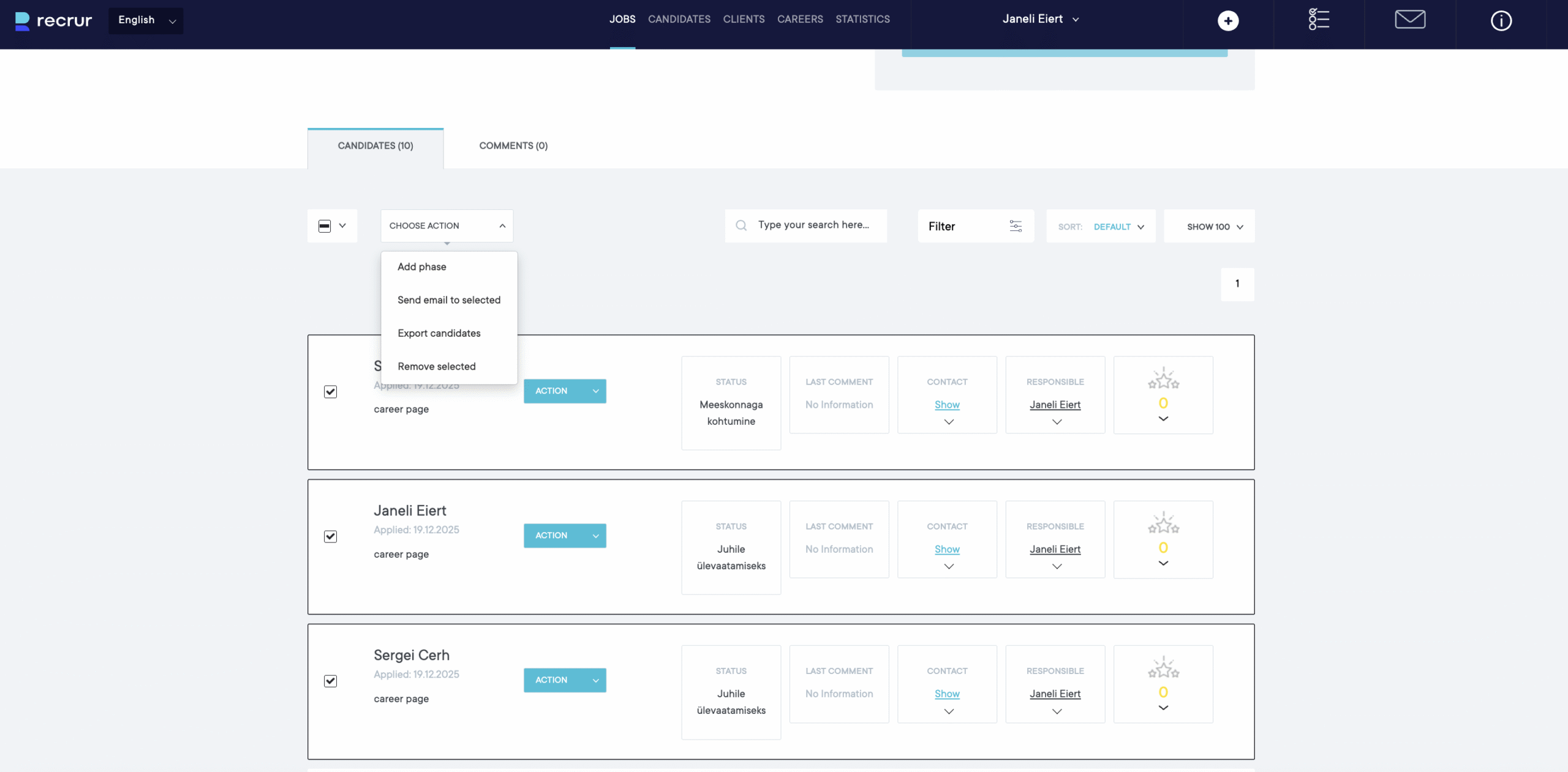
- Open the selected job view.
- Select the job candidates as recipients.
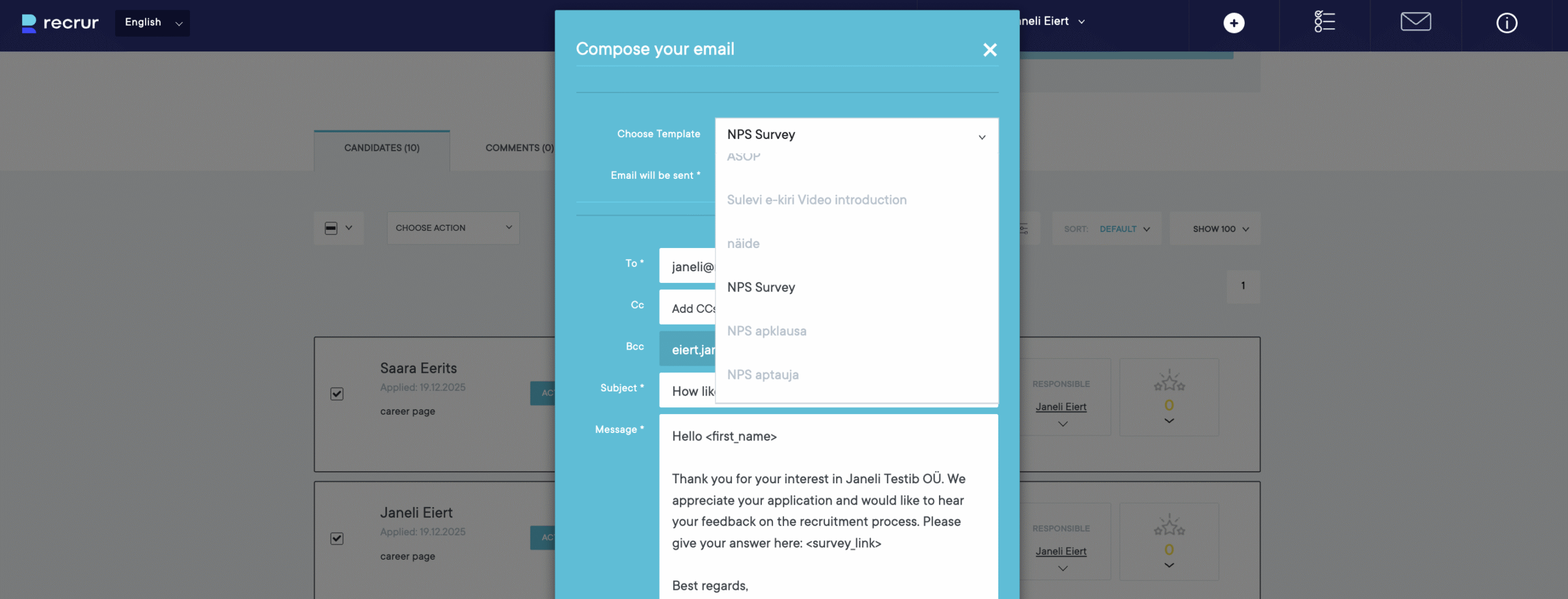
- From candidates list choose Send Email.
- Select the previously created NPS email template.
- Send the email.
4. Viewing NPS Results
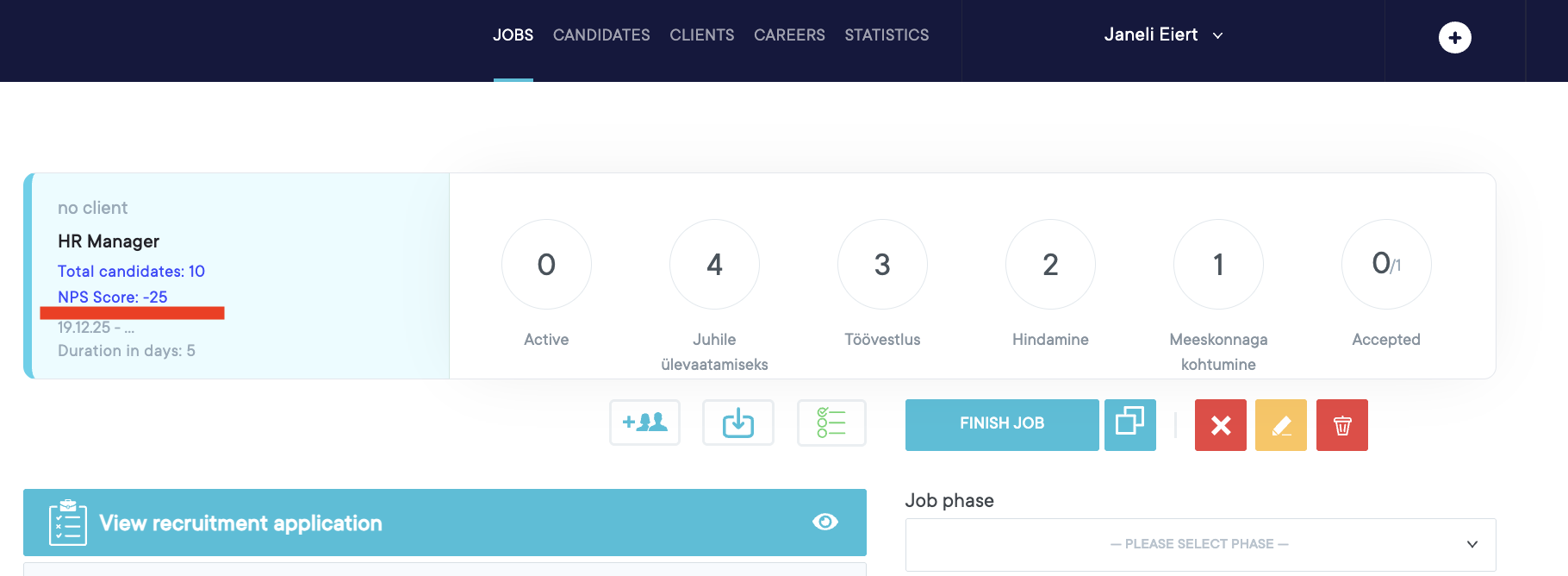
After collecting responses, NPS results can be viewed in the job statistics view.
Steps:
- Open the relevant job.
- Review:
- The NPS score
- Number of sent emails
- Number of respondents
How Is NPS Calculated?
Candidates are divided into three groups based on their response:
| Score | Category |
|---|---|
| 9–10 | Promoters |
| 7–8 | Passives |
| 0–6 | Detractors |
NPS formula:
NPS = % of Promoters − % of Detractors
Example:
- 60% of respondents are promoters
- 25% of respondents are detractors
NPS = 60 − 25 = 35
📊 The NPS score ranges from –100 to +100.
Interpreting the NPS Score
- > 50 – Excellent candidate experience
- 0 to 50 – Good, but there is room for improvement
- < 0 – Poor candidate experience