In Recrur, you can manage and filter candidates based on the answers they provided in the application form.
1. Adding Questions to the Application Form
You can add two types of questions to the application form, based on what the filtering option works:
- multiple-choice questions
- dropdown questions
For example, you can ask about education level, language skills, work experience, or any other information relevant to the position.
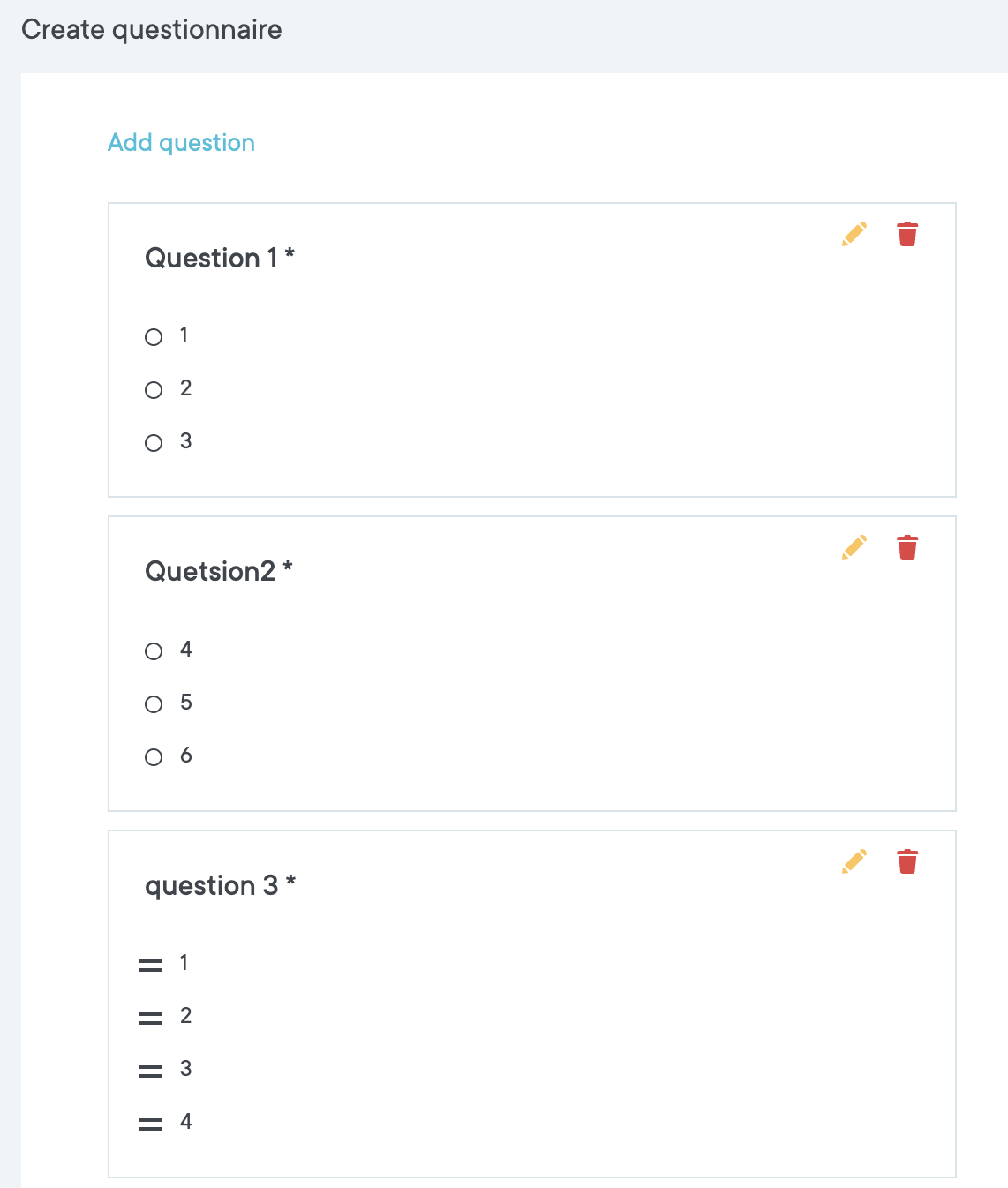
2. Candidate Answers Are Saved Under Activiti View
When a candidate completes the application form and answers the questions, their responses are automatically saved to their activity view under the job.
3. Filtering Candidates by Their Answers
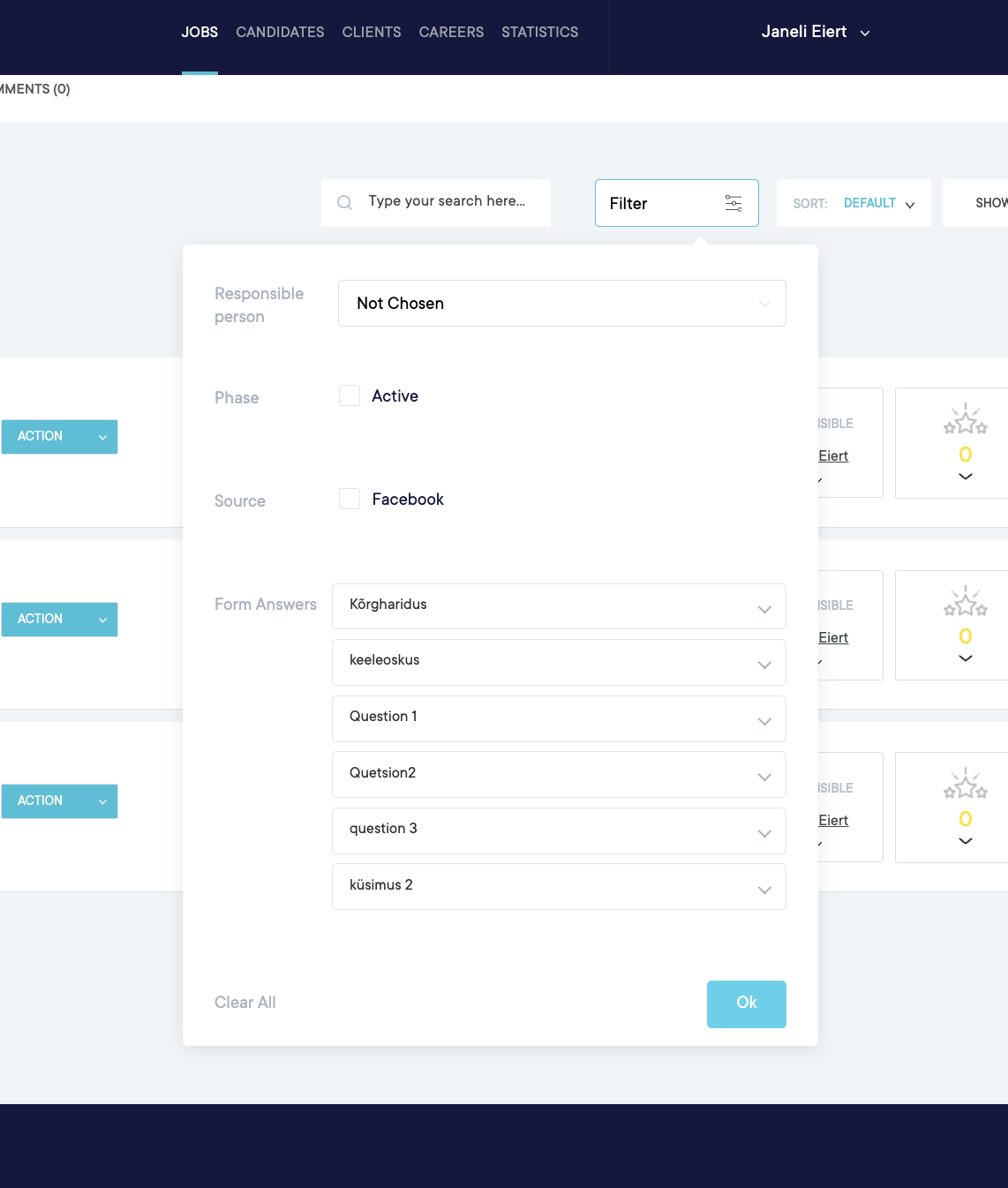
You can use filters in the candidate list under the job view to find candidates based on their responses.
To filter candidates:
- Open the desired job.
- Go to the candidate list.
- Click the Filter button.
- Locate the Form Answers section.
- Select the question you want to filter by.
- Choose the answer you are interested in.
- Click OK.
The system will then display only those candidates whose answers match the selected criteria.
Example
If the application form includes a question like “Language Skills” with options such as:
- Estonian
- English
- Russian
you can filter candidates based on the language they selected in the form.