Overview
The AI-based candidate evaluation feature helps you automatically assess and rank candidates based on criteria you define for a job posting.
Step 1: Enable AI Evaluation in a Job
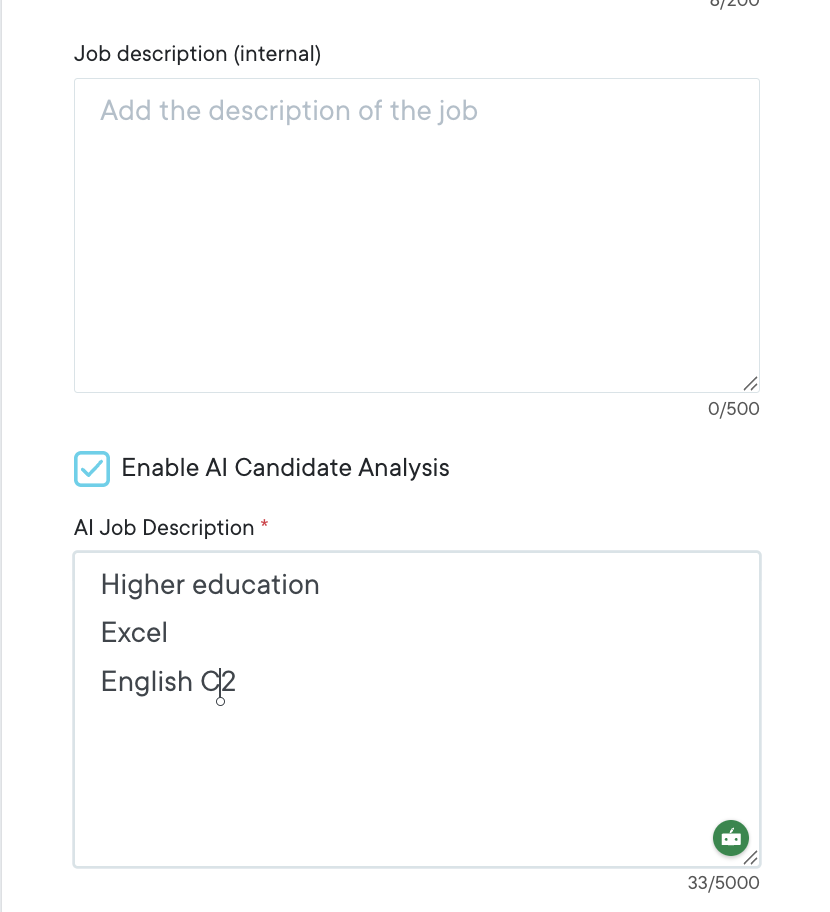
- Create a new job.
- Enable the AI Evaluation option (tick the checkbox).
- A text field will appear.
- Enter the criteria or requirements that the AI should use to evaluate candidates (e.g., skills, experience, qualifications).
Step 2: Candidate Applications
- Once the job and job ads are published, candidates can start applying.
- The AI will automatically evaluate candidates based on the criteria you defined.
Step 3: Viewing AI Evaluation Results
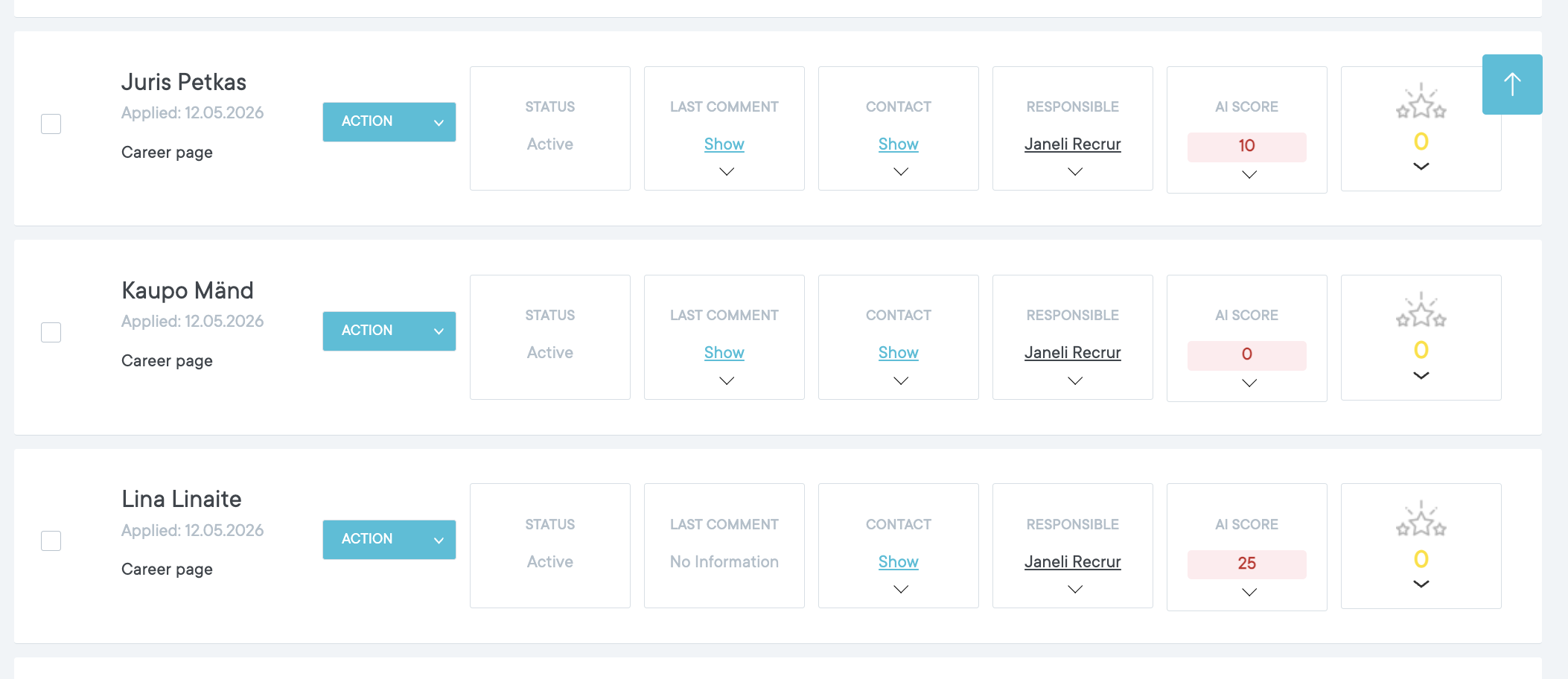
- In the candidate list view, you will see an AI score for each candidate.
- Hover over the AI score to see a summary of the evaluation provided by the AI.
Step 4: Sorting Candidates
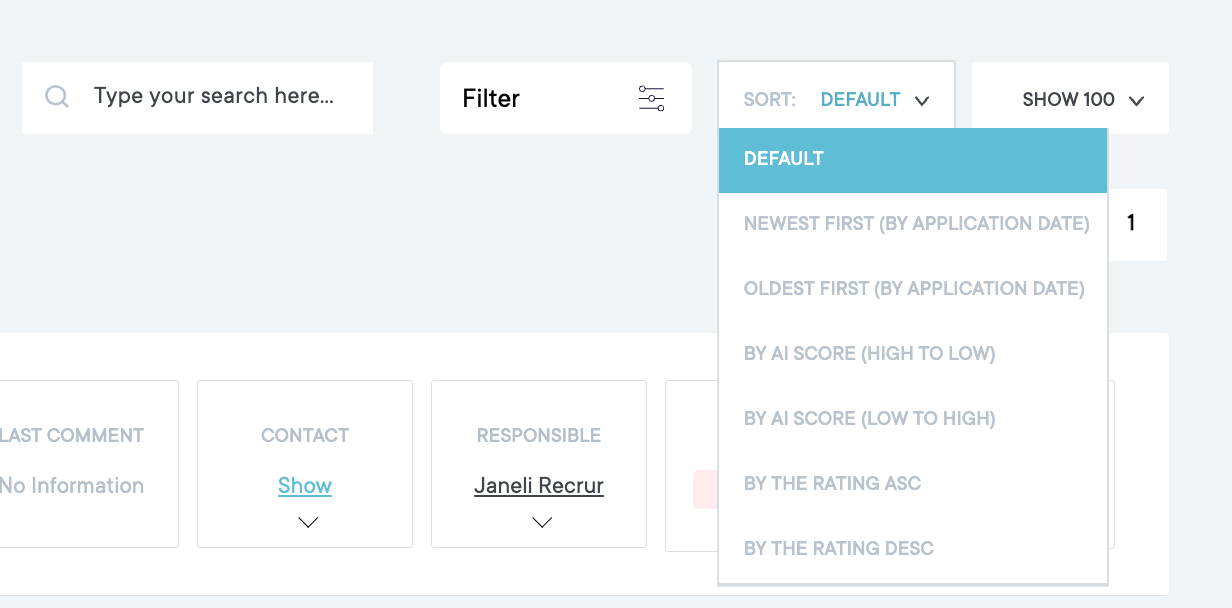
- Use the filtering options to rank candidates based on their AI evaluation.
- This allows you to quickly identify the most suitable candidates.
Troubleshooting
If AI scores are not loading
- Refresh the page.
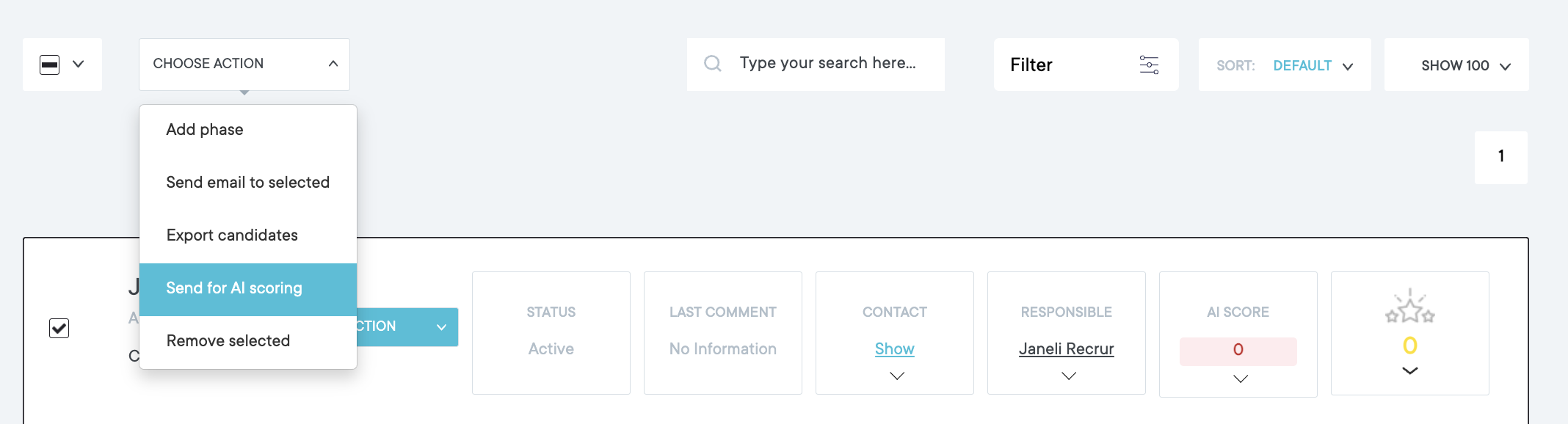
Error in AI evaluation
- Open the candidate’s options (three-dot menu).
- Select “Send to AI evaluation again” to reprocess the candidate.
Important Notes
- Only text-based documents are evaluated.
Image files (e.g., JPG, PNG) are not supported. - The AI evaluates all documents submitted by the candidate that are visible in their profile.