To change the order of the candidate stages, go to Settings and select Candidate settings and then Candidate stages from the left-hand menu bar.
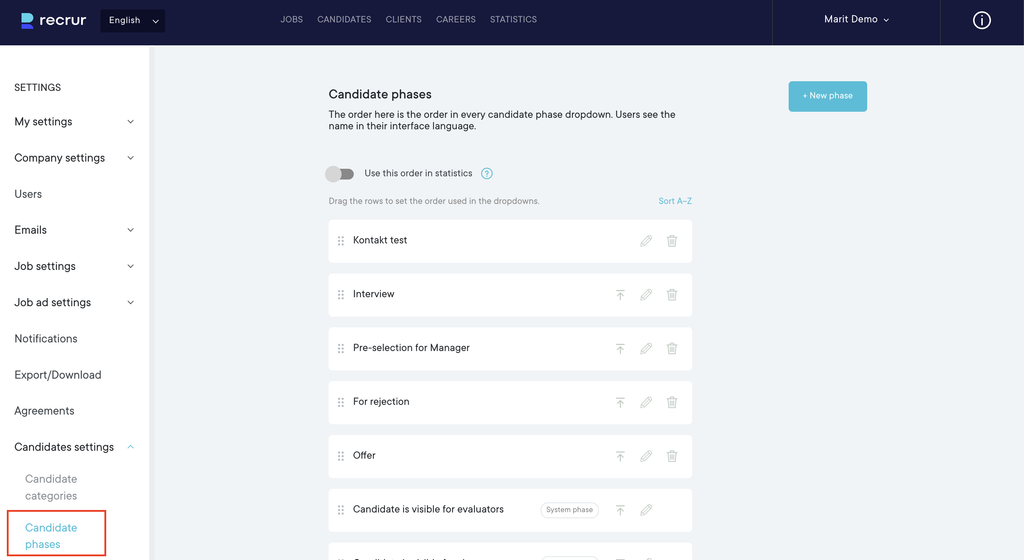
The order of the stages can be changed by dragging rows, using the “Sort A–Z” button, or moving a phase to the top, and this order is used by all phase selections and lists. Existing phases keep their current order, and system phases still cannot be deleted.